How to Download Kajabi Course Videos?

With the rise of online learning, platforms like Kajabi have become a go-to choice for professionals, entrepreneurs, and educators to deliver high-quality video courses. These courses cover a wide range of topics—from business and marketing to creative skills and personal development. While streaming videos online is convenient, many learners prefer to download courses for offline access. Offline videos allow uninterrupted learning without relying on an internet connection, make reviewing lessons easier, and provide a personal backup of purchased content.
Since Kajabi does not offer a built-in download option, learners need to use third-party tools to save videos. In this guide, we’ll explore the most effective ways to download Kajabi course videos.
1. Download Kajabi Courses with Downloader Extensions
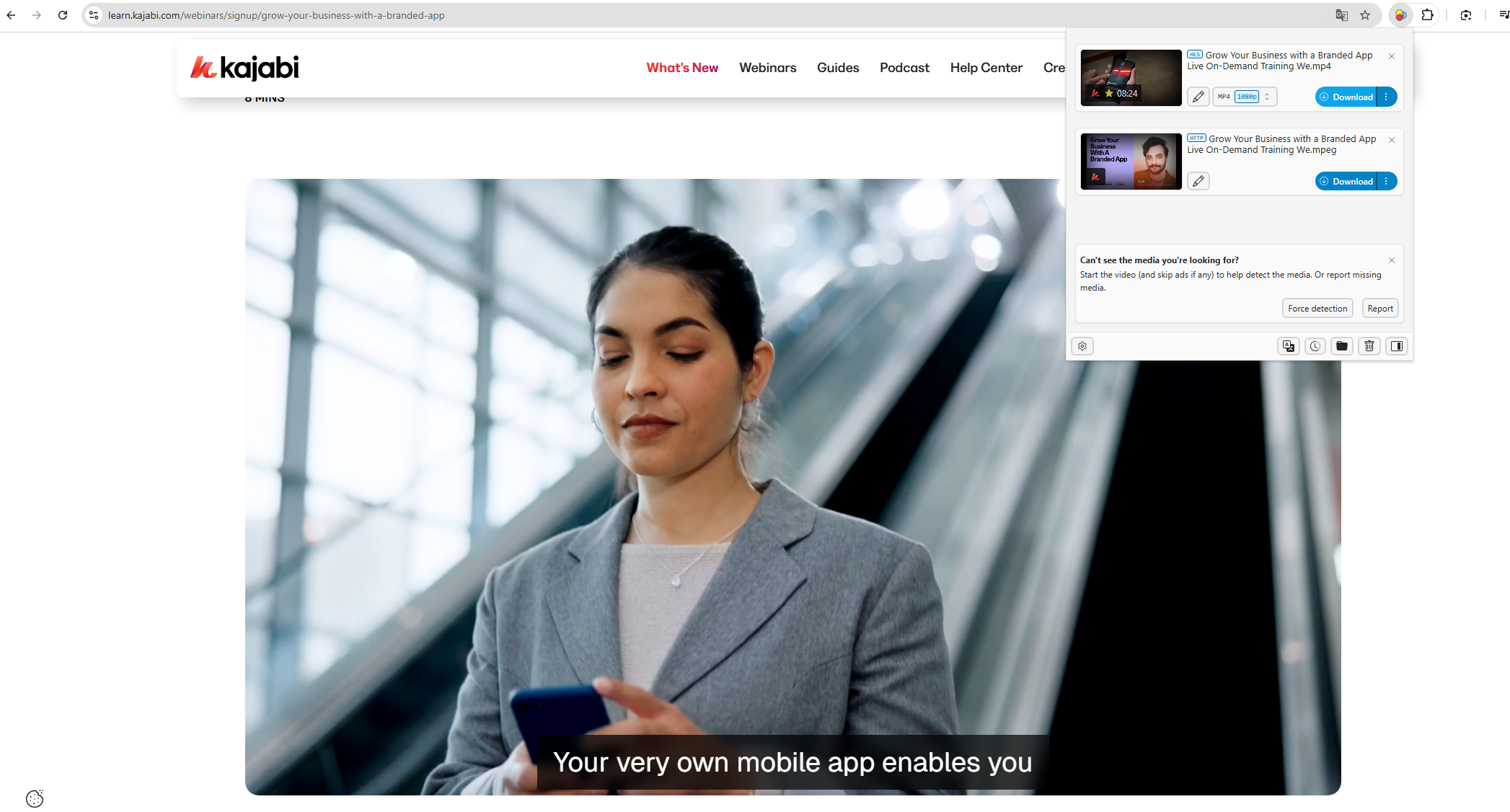
One of the easiest ways to download Kajabi course videos is by using browser downloader extensions. These extensions are added to browsers like Chrome, Firefox, or Edge and can detect media files on web pages.
Steps to Use Downloader Extensions:
- Go to your browser’s extension store, search for a video downloader extension (e.g. Video DownloadHelper), and add it.
- Open the Kajabi site and log in to your account, next navigate to the video you want to download.
- Click the downloader extension icon and it will scan the page for video files.
- Select the video quality and format if available, then click the download button to save it to your computer.
Pros:
- Quick setup and easy to use.
- Can download multiple video formats.
- Free options available.
Cons:
- Not all Kajabi videos may be detected due to streaming protections.
- Some extensions have limitations on video length or quality.
- Ads or pop-ups in free extensions can be distracting.
2. Download Kajabi Courses with Downloader Software
Dedicated video downloader software provides a more robust solution for downloading Kajabi videos. They allow users to save videos from hundreds of sites, including streaming platforms and online courses.
Steps to Use Downloader Software:
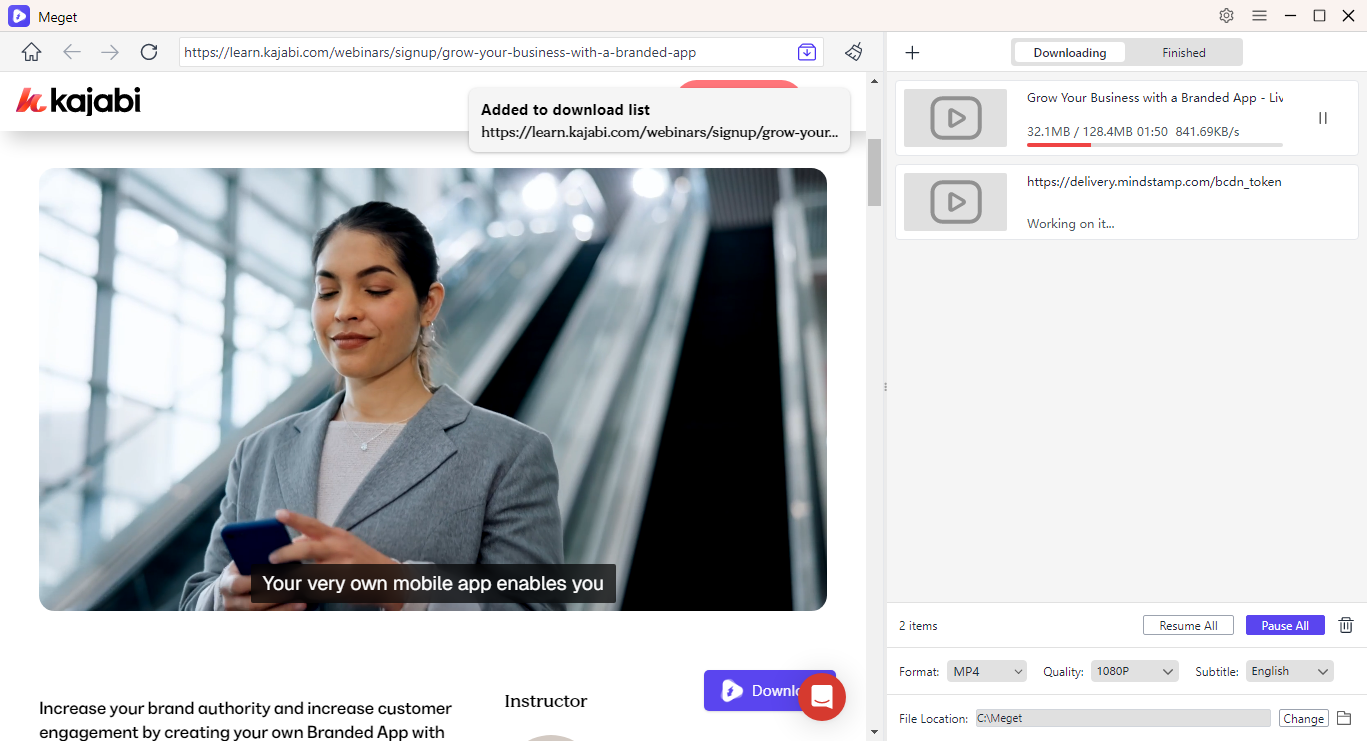
- Download and install the video downloader program (e.g. Meget) on your computer (Windows or Mac).
- Open the Kajabi site within Meget, then locate and play the video you want to download.
- Select the video format (e.g., MP4) and resolution (720p, 1080p, etc.) on the main interface.
- Click the download button and Meget will save the Kajabi course video directly to your computer.
Pros:
- Can download multiple videos in batches.
- Supports high-quality video formats.
Cons:
- Some programs have a learning curve for beginners.
- Limited support for certain video streaming protections.
3. Download Kajabi Courses with Recorder Extensions
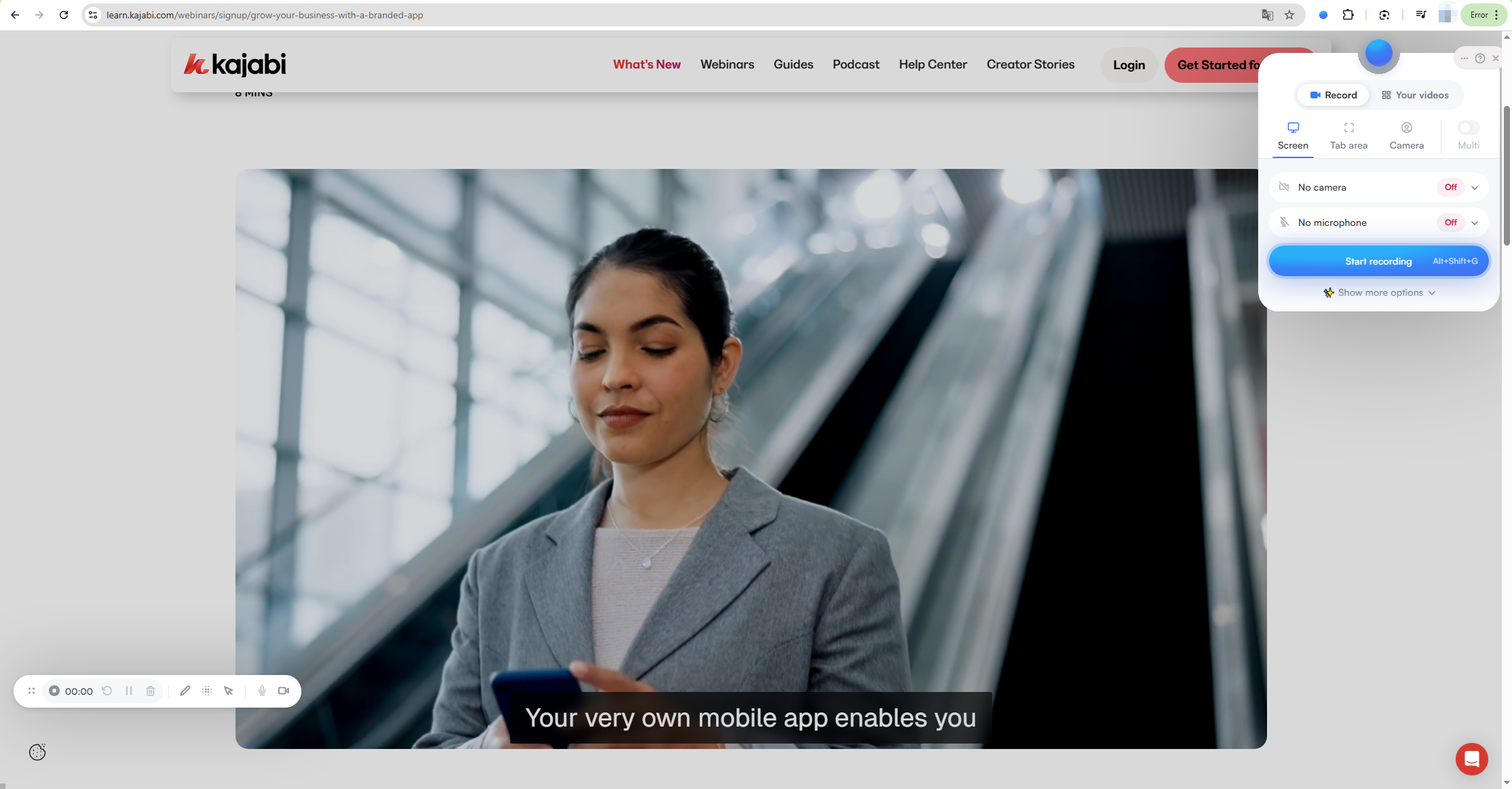
If downloading via extensions or software fails, the next method is to record videos while they play. Browser-based recorder extensions, such as Screenity or Loom, allow users to capture videos directly from the screen.
Steps to Use Recorder Extensions:
- Add the screen recorder extension (e.g. Screenity) to your browser.
- Navigate to the Kajabi course video you want to capture, then use the recorder extension to capture the video (Make sure to select the proper recording area (full screen or browser tab).
- After recording, export the video in your desired format (MP4 is recommended).
Pros:
- Works for any streaming content, even if downloading is restricted.
- Free versions are available for most extensions.
Cons:
- Video quality may be lower than original.
- Limited advanced recording and editing features.
4. [Recommended] Download Kajabi Courses with Swyshare Recordit
For a complete and reliable solution, Swyshare Recordit stands out as the best tool for downloading Kajabi courses. Unlike basic extensions or general software, Recordit is an advanced screen recording tool designed specifically for educational content.
Key Features of Recordit:
- Support all video hosting and streaming websites, including Kajabi.
- Records videos in 1080p or higher without losing audio or frame rate.
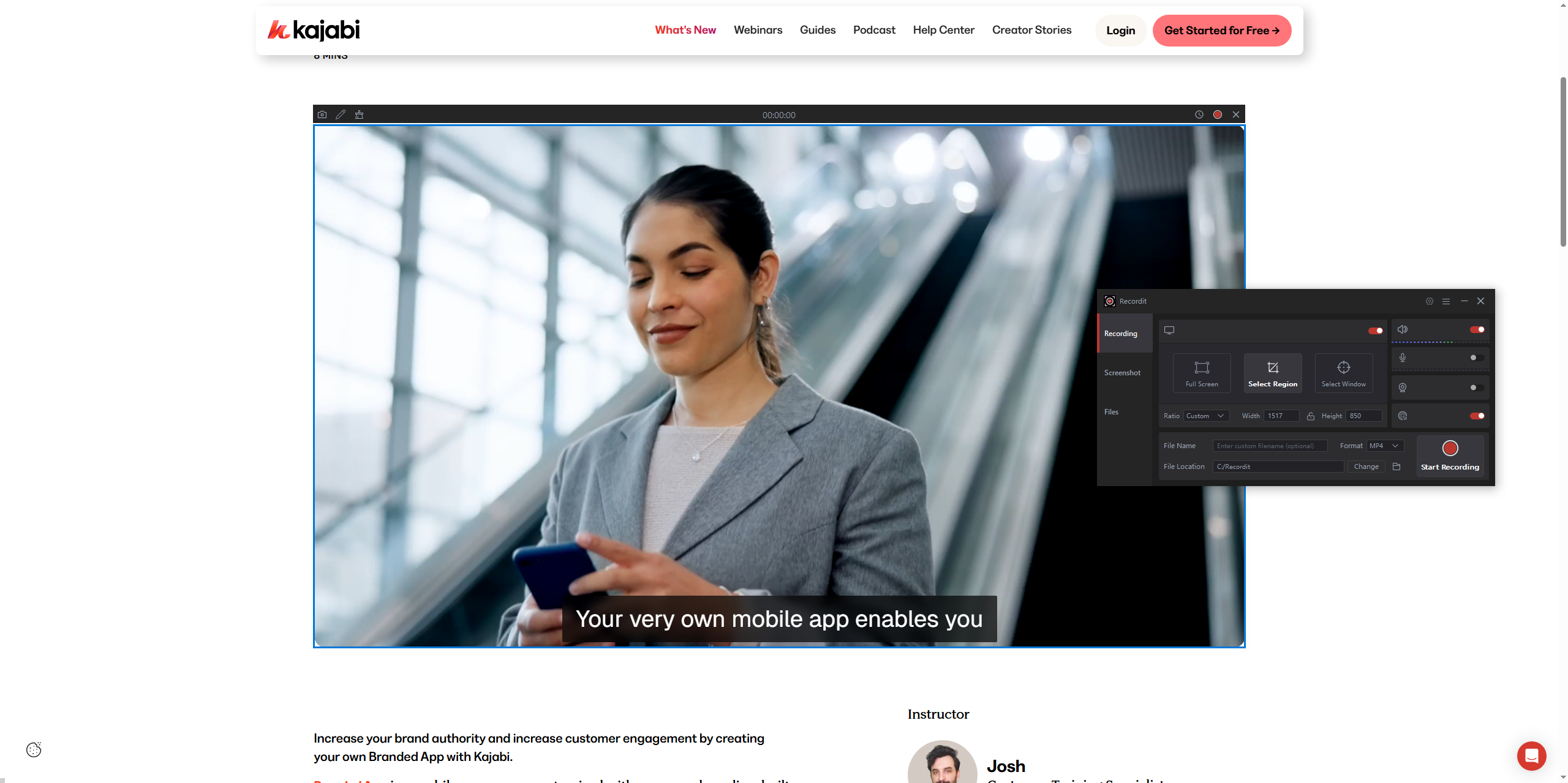
- Easily record the full screen, individual windows, or precisely selected custom regions.
- Add on-screen notes, highlights, or mouse effects to enhance learning.
- Advanced built-in video editor to add logo and background.
- Export recordings in popular MP4/GIF/MP3 formats in seconds.
- Take quality still screenshots even while recording.
- Available for both Windows and Mac.
Steps to Record Kajabi Courses with Recordit:
- Download and install the Recordit software from the official website.
- Open Kajabi and navigate to the course video.
- Use Recordit to choose recording area, turn on systen sound, and set output format and resolution.
- Hit the Start Recording” button, then play the video and Recordit captures every frame with audio.
- After recording, adjust the video if needed, then save it in your desired format.
5. Conclusion
While Kajabi does not natively allow course downloads, several third-party methods exist for saving videos offline. Browser downloader extensions and software solutions are helpful for direct downloads, whereas recorder extensions offer a workaround when downloading is restricted.
However, for consistent, high-quality, and versatile recording of Kajabi courses, Swyshare Recordit is the recommended solution. Its combination of advanced recording features, annotation tools, and cross-platform support ensures you can securely capture and review every course lesson offline. Whether you’re a student, professional, or lifelong learner, Recordit makes offline access to Kajabi courses simple, reliable, and professional.
By using Swyshare Recordit, you can fully unlock the potential of your Kajabi courses, creating a personal library of educational content that’s always accessible – anytime, anywhere.