How to Record CrackStreams Live Streaming Sports?

CrackStreams is a popular website for watching live sports streams online, offering access to events such as NBA, NFL, UFC, boxing, soccer, and more without requiring a subscription. Because these streams are live and usually unavailable for replay, many sports fans want to record CrackStreams live streaming sports so they can watch games later, save highlights, or review key moments.
However, CrackStreams does not provide a built-in recording or download feature. This means users must rely on external tools such as screen recorders, browser extensions, or advanced recording software. In this article, we’ll walk you through safe and effective ways to record CrackStreams live sports, explain the pros and cons of each method, and recommend the best tool for smooth, high-quality sports recording.
1. Record CrackStreams with Online Recorders
Online screen recorders allow you to record CrackStreams directly in your browser without installing software. These tools are convenient for casual users who only need short recordings.
Popular Online Screen Recorders:
- Apowersoft Free Online Screen Recorder
- ScreenPal Online Screen Recorder
- Screencast-O-Matic (online version)
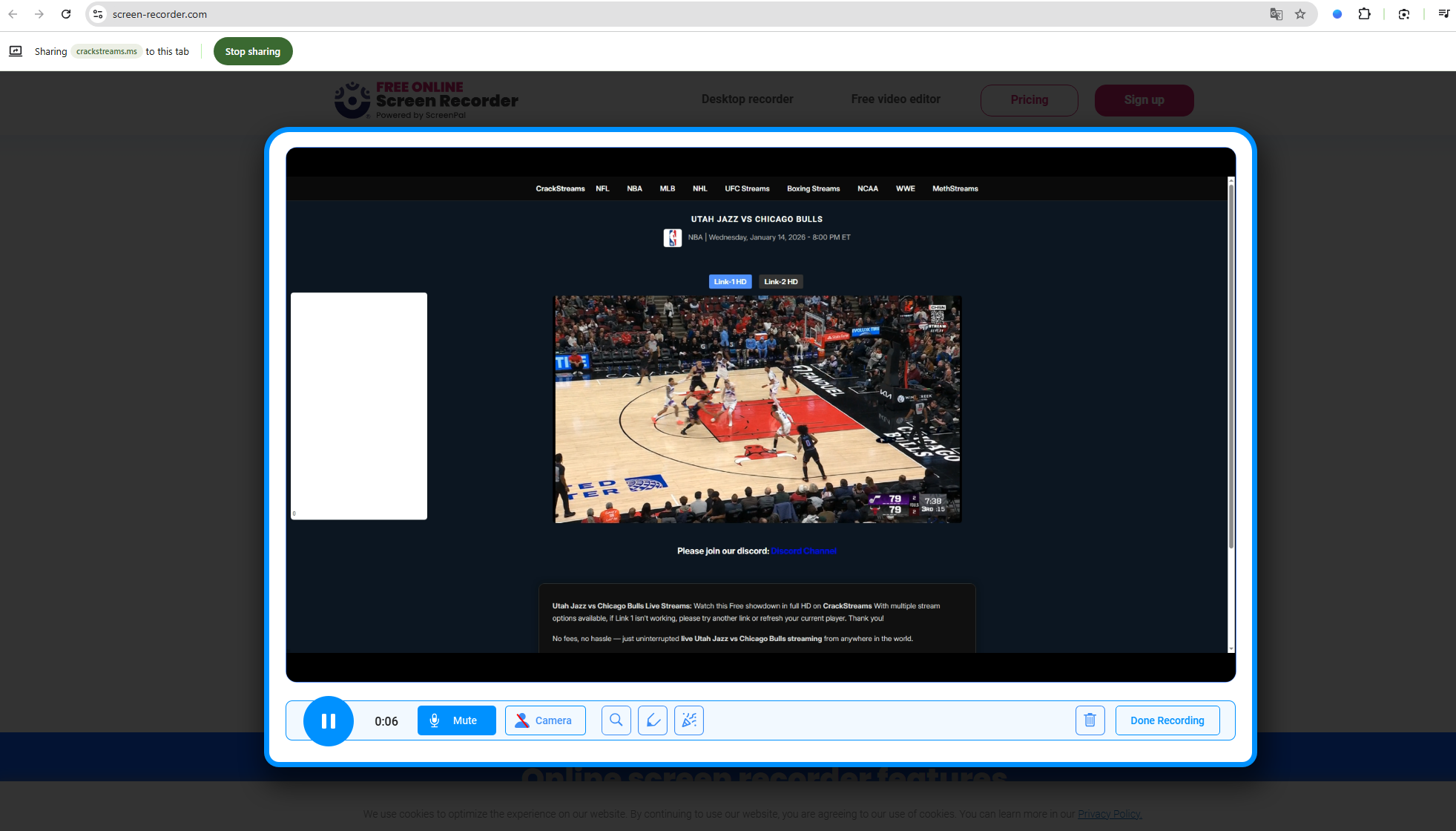
How to Record CrackStreams Using an Online Recorder:
- Visit the online screen recorder website, such as ScreenPal online recorder.
- Launch the recorder and grant screen/audio permissions.
- Open CrackStreams in a new tab and start the live sports stream.
- Select the browser tab or screen area to record.
- Start sharing the screen and stop when the game or highlight ends.
- Download the recorded video to your device.
Pros:
- No software installation required
- Works on Windows and macOS
- Quick and beginner-friendly
Cons:
- Lower video quality compared to desktop software
- Unstable for long live sports events
- Browser crashes may stop recording
- Support recording only tab
2. Record CrackStreams Using Browser Extensions
Several Chrome and Edge extensions also allow basic screen recording.
Popular options:
- Loom
- Screenify
- Nimbus Screen Recorder
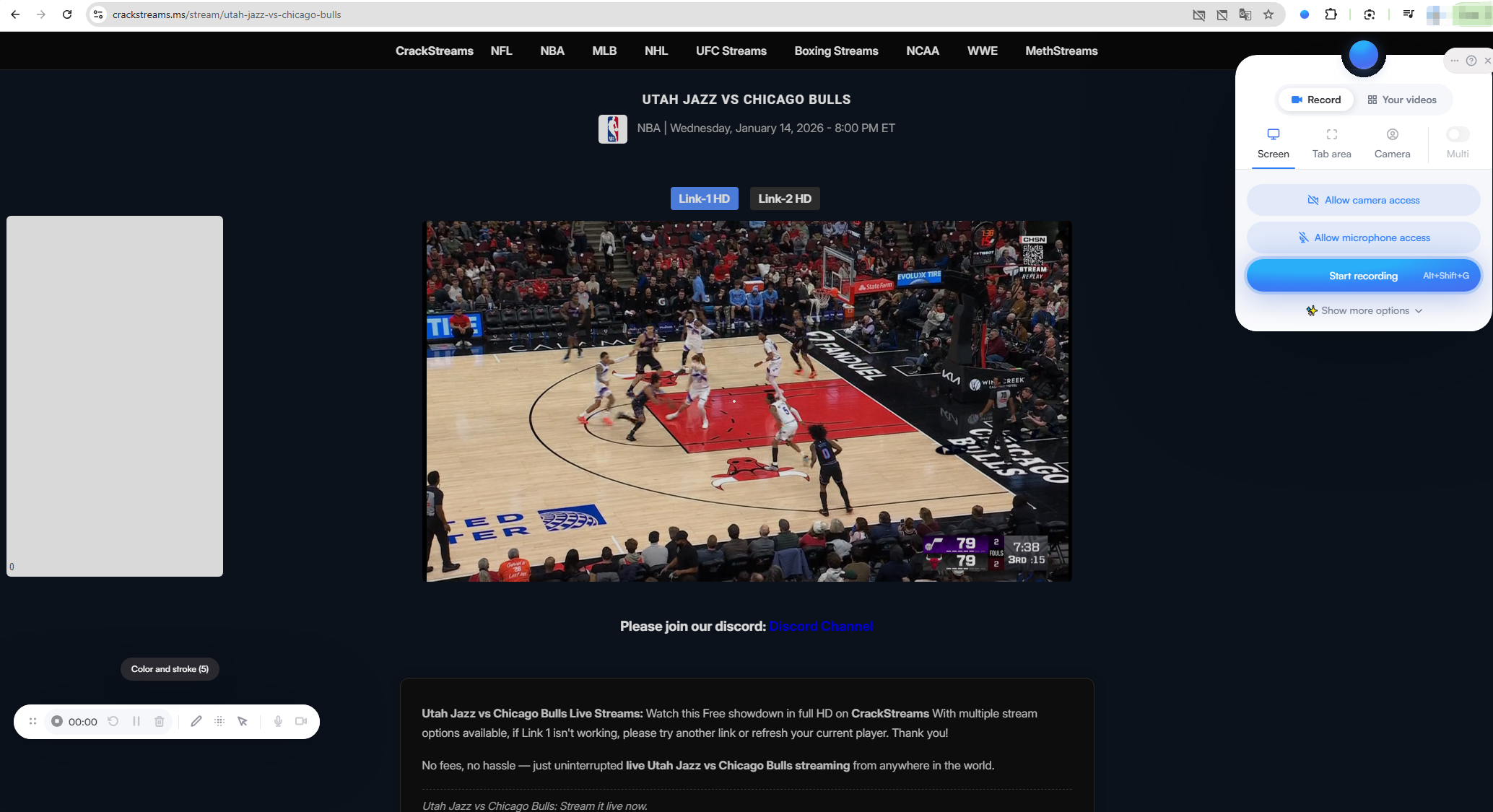
How it works:
- Install the extension (e.g. Screenity) from the browser store.
- Open CrackStreams and start the live sports stream.
- Click the extension icon and begin recording.
- Stop recording and export the video.
Pros:
- Quick setup
- No software installation required
Cons:
- Reduced video quality
- Often unstable for long live sports events
- Limited advanced recording features
3. Record CrackStreams with Professional Screen Recording Software (Best Method)
For recording full live sports events in high quality, dedicated screen recording software is the most reliable option.
Swyshare Recordit is a professional screen recorder designed for recording streaming videos, live sports, and online events smoothly.
Key Features for Recording CrackStreams Sports:
- Record full screen or custom area
- Capture system audio and microphone separately
- Smooth recording with no lag
- Schedule recordings for upcoming matches
- Instant replay and screenshot during recording
- Export in popular formats (MP4, AVI, MOV)
- Supports long-duration recording
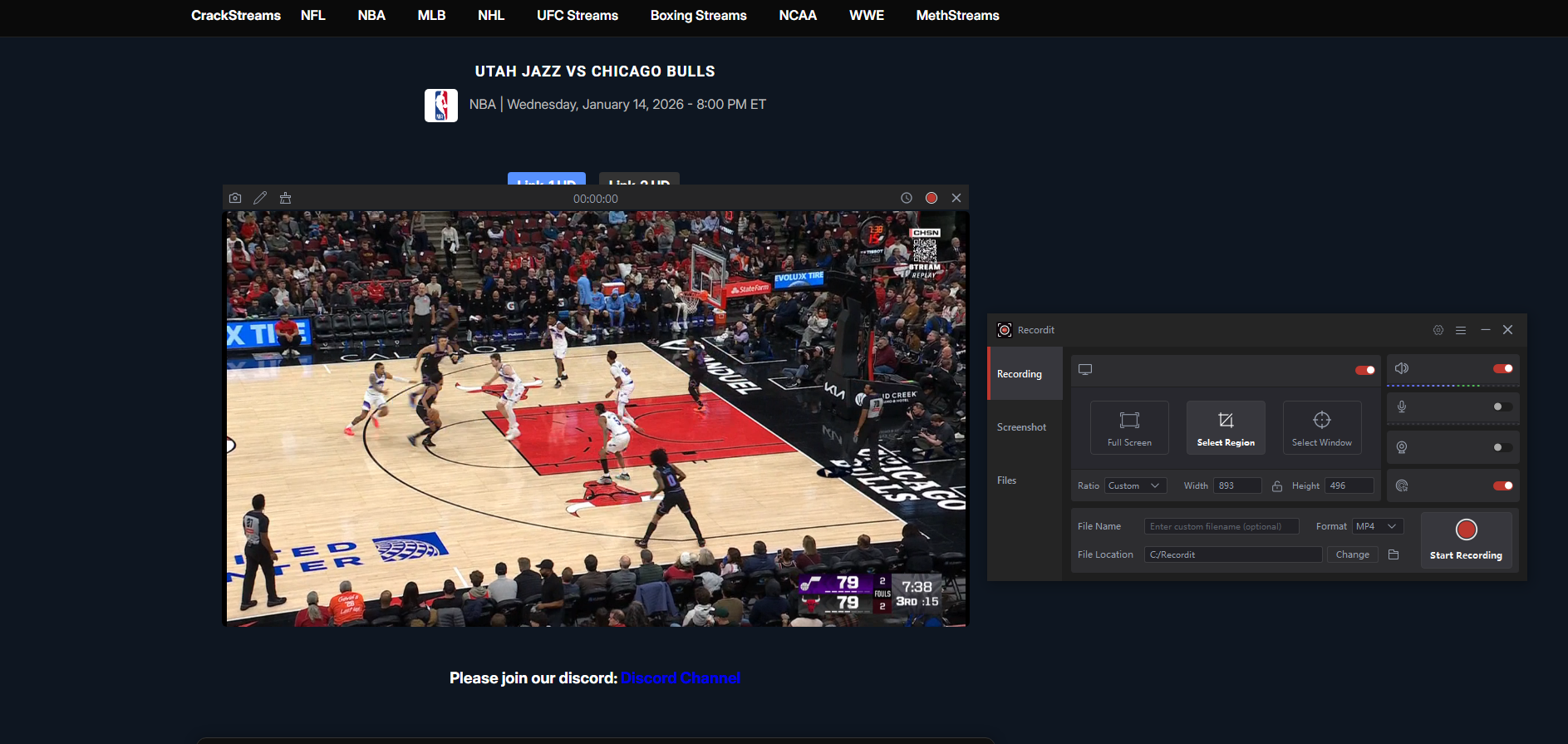
How to Record CrackStreams Live Sports with Recordit:
- Install Swyshare Recordit on your Windows or Mac computer.
- Launch your browser and navigate to CrackStreams, then open the live sports stream you want to record.
- Customize recording settings: Choose full screen or custom area; Enable system audio; Select output format and quality (HD or Full HD).
- Click Start Recording, then start playing the live stream.
- Once the game ends, stop recording and you can find and open the recorded live sport within the “Files” tab.
4. Record CrackStreams Using OBS Studio (Advanced Users)
OBS Studio is a free, open-source recording and streaming tool.
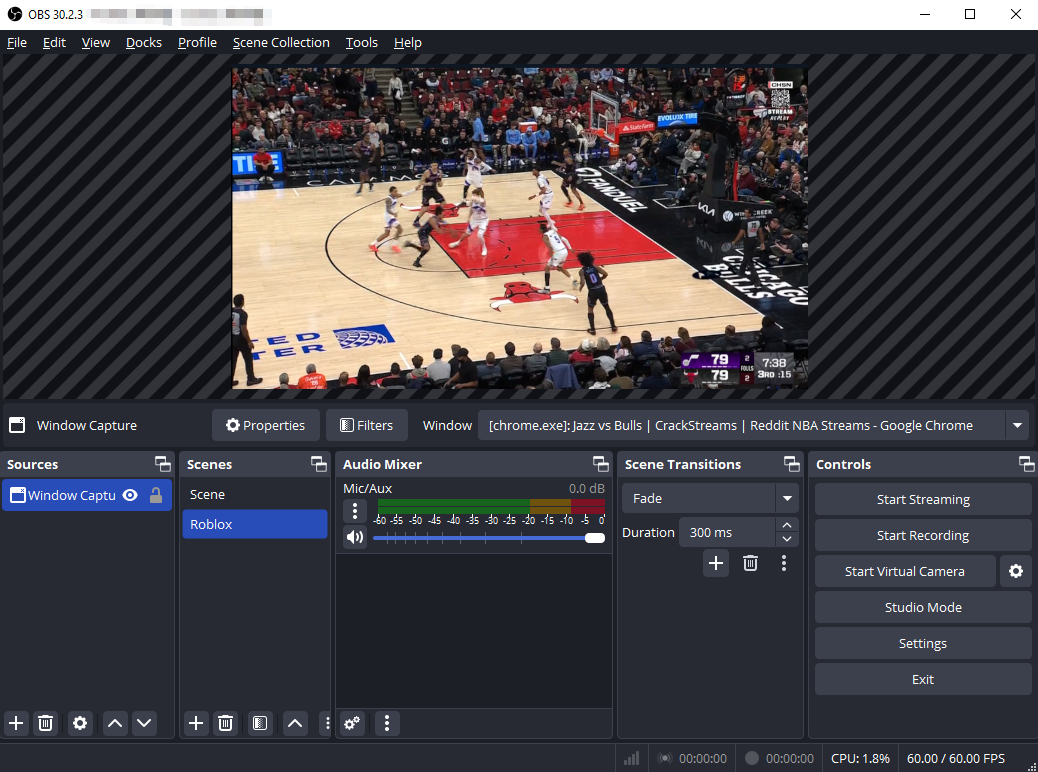
Steps:
- Install and open OBS Studio, then sdd a Display Capture or Window Capture source.
- Configure audio input and start recording before the game begins.
- Stop recording when finished.
To ensure smooth playback and high-quality results, use these recommended settings:
- Resolution: 1080p (if your system allows)
- Frame Rate: 30–60 FPS
- Audio: System sound only
- Format: MP4 for compatibility
- Bitrate: Medium to high for fast-moving sports
Common Problems When Recording CrackStreams (and How to Fix Them):
- Black screen: Switch from window capture to full-screen capture
- No sound: Enable system audio in recorder settings
- Lag or stuttering: Lower frame rate or close background apps
- Pop-up ads: Use an ad blocker or record a custom screen area
Pros:
- Free and powerful
- High-quality output
Cons:
- Complex setup
- Not beginner-friendly
- Easy to misconfigure audio or resolution
5. Conclusion
CrackStreams is a popular choice for watching live sports like NBA, NFL, UFC, boxing, and soccer for free, but its lack of a replay or download feature makes recording essential for many fans. Whether you want to rewatch a full game or save key highlights, using the right recording method is crucial.
Online recorders and browser extensions are easy to use and work well for short clips, but they often struggle with long live sports streams due to quality limits and instability. OBS Studio is powerful and free, yet its complex setup makes it less suitable for beginners.
For the most reliable and high-quality results, professional screen recording software is the best option. Tools like Swyshare Recordit offer smooth performance, flexible recording settings, and strong support for long-duration live events, making them ideal for recording CrackStreams sports without missing any important moments.