Focusee Review: Features, Pricing, Pros & Cons Explained

Screen recording tools have evolved far beyond simple “record and save” software. Today, many users want polished videos for tutorials, presentations, product demos, and online courses—without spending hours editing. To meet this demand, AI-powered screen recorders have emerged, promising to automate editing and improve video quality automatically.
Focusee is one such solution. Developed by iMobie, Focusee combines screen recording with AI-assisted enhancements like auto zoom, subtitles, and audio cleanup. While this approach works well for some creators, others may find it more complex and expensive than necessary. In this review, we’ll break down what Focusee is, how it works, its pricing, and its main strengths and weaknesses.
1. What Is Focusee?
Focusee is an AI-powered screen recorder and video creation tool for Windows and macOS. Its core idea is simple: record your screen once, then let AI handle most of the post-production work. Instead of manually editing videos, Focusee automatically enhances recordings to make them look more professional.
Key features of Focusee include:
- Screen, webcam, or screen + webcam recording
- AI-driven zoom and cursor effects
- Automatic noise reduction and voice enhancement
- Subtitle generation in multiple languages
- Removal of silent gaps and filler words
- High-resolution exports, including 4K
Focusee is mainly targeted at content creators, educators, marketers, and business professionals who want polished videos with minimal editing effort. Rather than offering deep manual control, it focuses on automation and convenience.
2. How to Use Focusee to Record and Edit Video?
Focusee is designed to be beginner-friendly, even for users with no video editing experience.
Step 1: Download Focusee from the official website and install it on your computer. After launching the app, sign in or create an account to unlock its features.
Step 2: Choose how you want to record:
- Entire screen, specific window, or custom area
- Screen only, webcam only, or both
- Microphone audio, system audio, or both
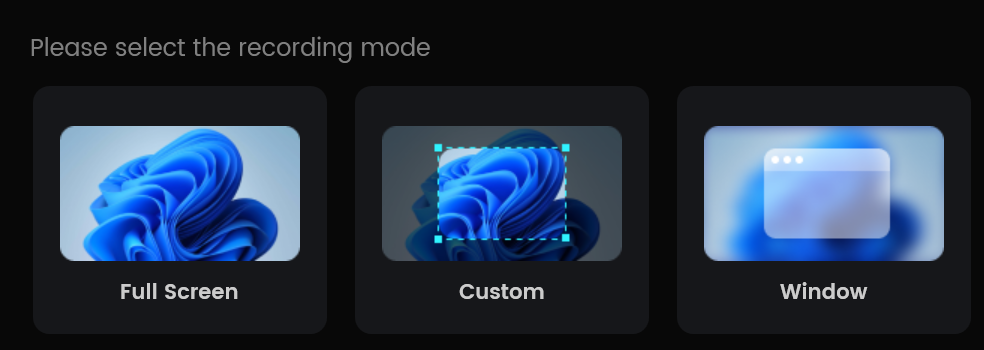
These options cover most use cases, from tutorials to presentations.
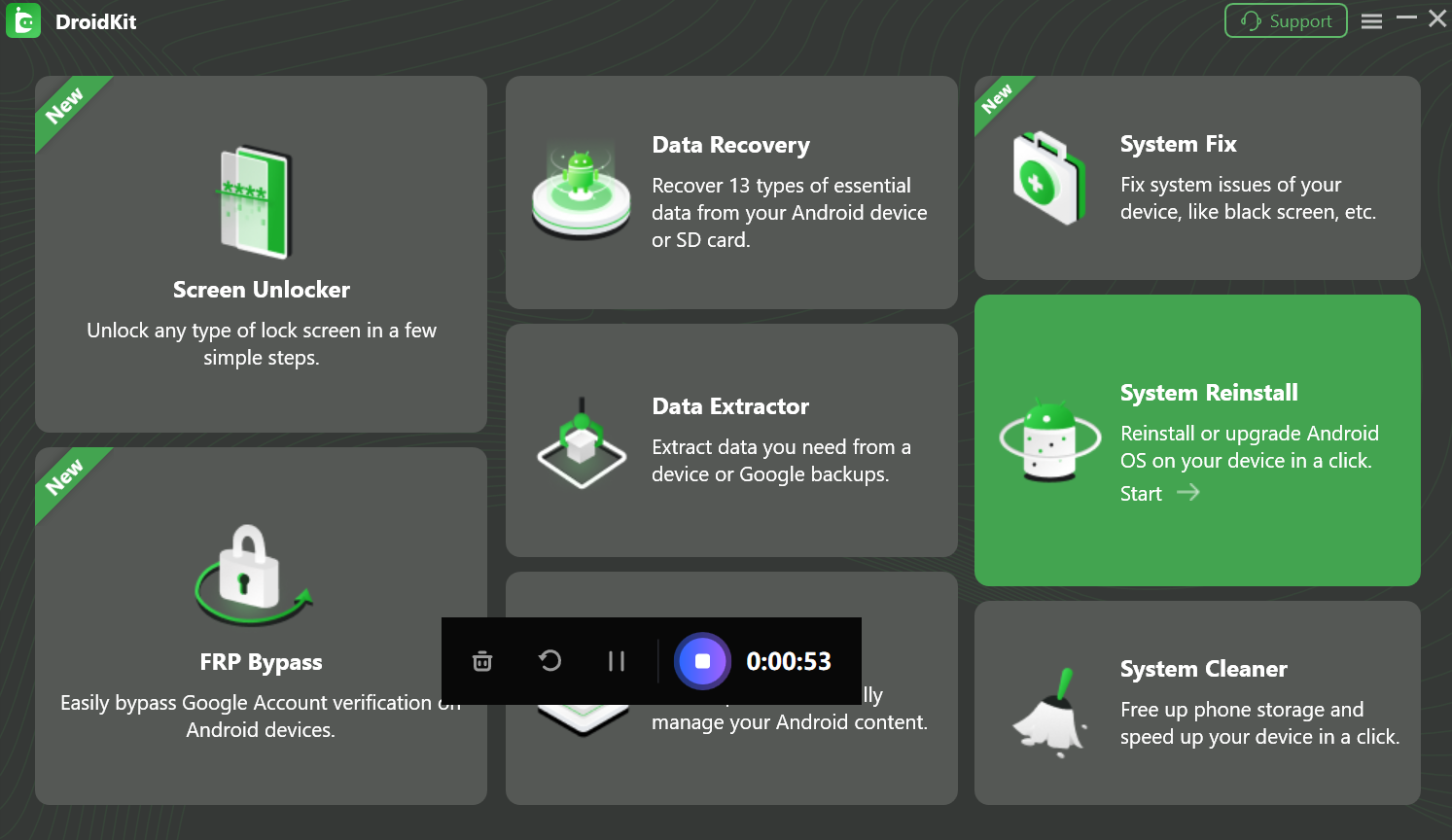
Step 3: Click the record button to start recording, Focusee captures your screen activity, mouse movements, and audio, and you can pause or stop the recording at any time.
Step 4: After recording, Focusee automatically processes the video:
- Adds zoom effects to highlight important actions
- Enhances audio clarity
- Removes silence and unnecessary pauses
- Generates subtitles
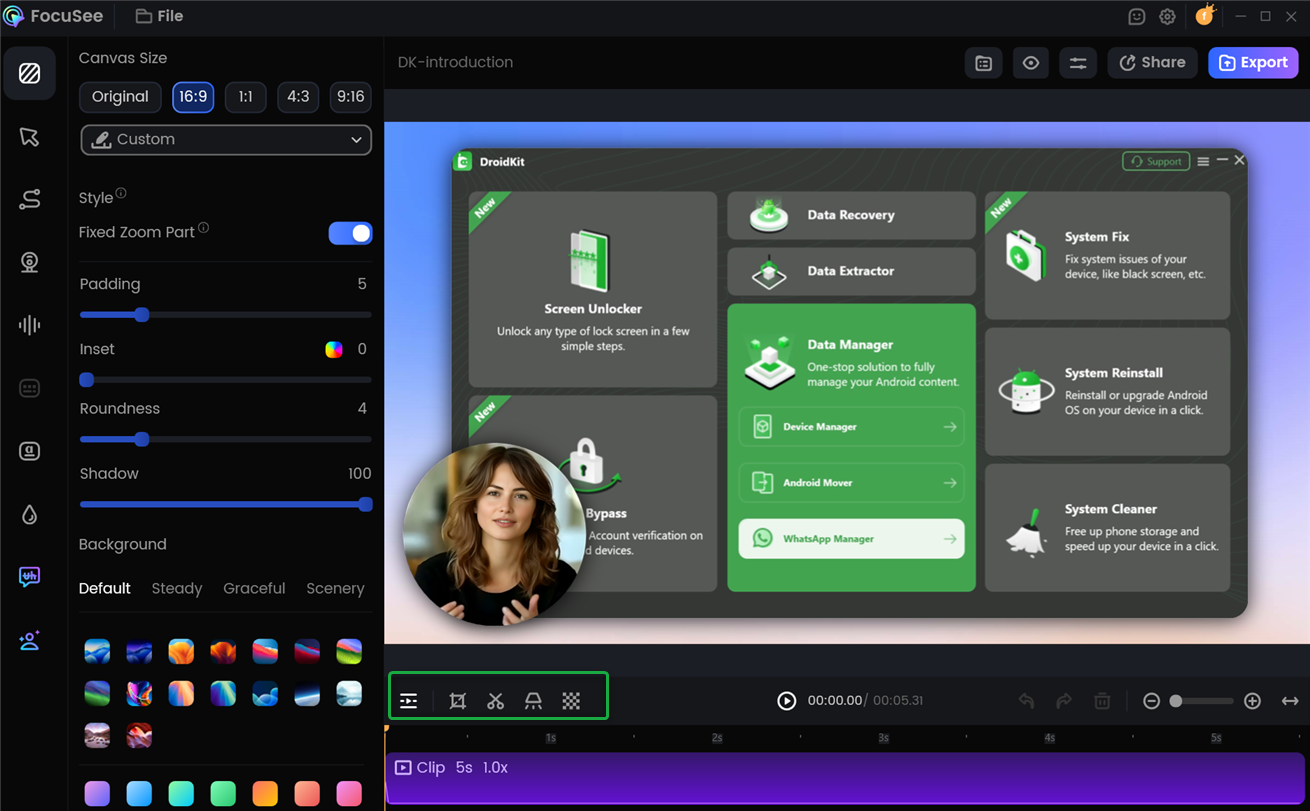
This step saves time but gives users limited manual control over the final look.
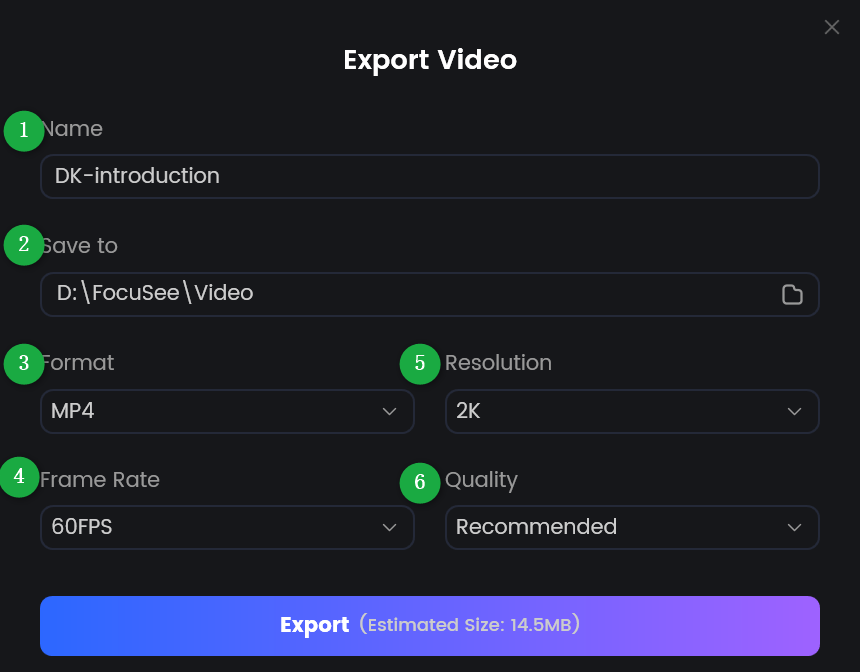
Step 5: Once processing is complete, export the video in your desired resolution or format and share it online or with your team.
3. Pricing of Focusee
Focusee uses a subscription-based pricing model, with multiple plans depending on usage and features.
The Focusee pricing options include:
- Monthly standard plan: $19.99 (
$24.99) - Monthly advanced plan: $24.99 (
$29.99) - Yearly standard plan: $49.99 (
$179.99) - Yearly advanced plan: $79.99 (
$359.99) - Lifetime license: $199.99 (
$719.99)
While basic recording is generally unlimited, many advanced AI features rely on a credit system. Credits are consumed when using tools like subtitle generation, avatars, or advanced enhancements. Heavy users may need to purchase additional credits, increasing the overall cost.
4. Pros and Cons of Focusee
Pros:
- AI-Powered Automation
Automatically enhances videos without manual editing. - Professional Output
Zoom effects, subtitles, and audio cleanup improve presentation quality. - All-in-One Tool
Combines recording and AI editing in one platform. - Cross-Platform Support
Available for both Windows and macOS. - Ideal for Content Creation
Useful for tutorials, demos, and marketing videos.
Cons:
- Credit-Based Limitations
Advanced features consume credits, which may run out quickly. - Subscription Cost
Can be expensive for users with simple needs. - Limited Manual Control
AI edits cannot always be fully customized. - Overkill for Basic Recording
Too complex for users who just want quick screen captures.
5. Try the Best Simple Alternative to Focusee – Swyshare Recordit
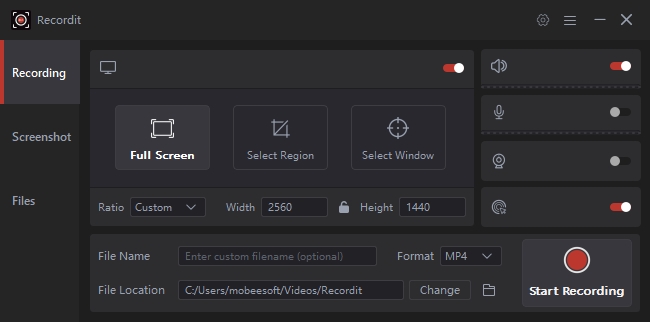
If you want a simpler, more straightforward screen recorder, Swyshare Recordit is an excellent alternative. Instead of focusing on AI automation, Recordit prioritizes ease of use, flexibility, and full user control.
Swyshare Recordit is a lightweight screen recording solution designed for everyday tasks like tutorials, meetings, demos, and walkthroughs—without subscriptions or credit systems.
Why Swyshare Recordit Stands Out:
- Simple and affordable pricing without credit restrictions
- Record full screen, window, or custom area easily.
- Choose microphone, system sound, and webcam separately.
- Built-in video editor to adjust recordings without extra software.
- Schedule recording at specific start and stop time.
- Instant replay to save hightlight seconds.
- Export recordings in high quality and in popular formats.
6. Conclusion
Focusee is a powerful AI-based screen recorder that excels at automatically enhancing videos for professional presentation. Its AI zoom effects, subtitles, and audio improvements make it appealing for creators who want polished results with minimal effort. However, its subscription pricing, credit-based system, and limited manual control may be frustrating for users with simpler needs.
For those who value simplicity, affordability, and control, Swyshare Recordit is the better option. It delivers reliable screen recording, flexible audio and webcam settings, and essential editing tools—without AI complexity or usage limits.
If you’re looking for the best simple alternative to Focusee, Swyshare Recordit is strongly recommended.